
Events Jul 26, 2026, 05:00 (UTC)
[Global Lab] Pre-play the New Class, Agent
2
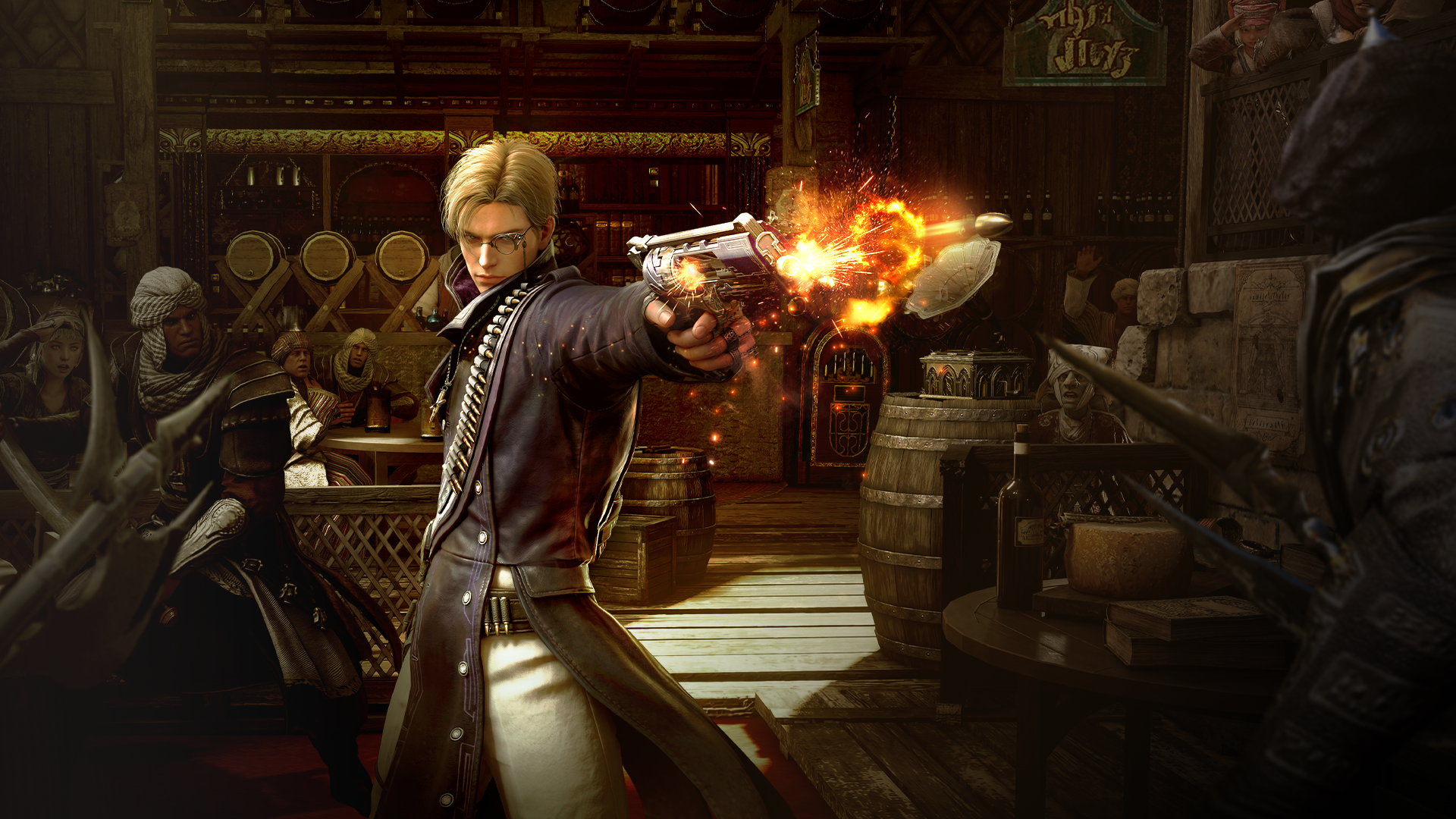
New Class: Agent
Begin your final training in the Global Lab.
.
.
.
[Global Lab Early Access]
"The Silent Reaper that Never Misses"
Meet Agent, who carries out missions using custom-made Revolvers and Hexround, in the Global Lab.
Early Access Period
After the Global Lab maintenance on July 26, 2026 (Sun) - Before the Agent update on the live servers
* All Adventurers who log in to the Global Lab during the early access period can play Agent.
What is the Global Lab?
🧪
A Test Server to Experience Content Under Development
The Global Lab is a test server where new classes and content still in development are revealed and tested before being added to the live servers.
🚀
Start at Lv. 63 Upon Character Creation!
Characters are automatically set to Lv. 63 upon creation, allowing you to experience a variety of Global Lab content without having to level up first.
🛠️
Content announced in the Global Lab may be adjusted or changed when updated on the live servers.
🔄
Sync Your Live Server Data to the Global Lab
You can transfer your Family data from the live server directly to the Global Lab. Log in to the live server and selec [Transfer Game Data] via [ESC Menu ▶ Adventurer Support ▶ Global Lab].


How to Access the Global Lab

The Pearl Abyss Launcher must be installed to access the Global Lab.
▶ Please refer to the [Notice] for more details.
Black Desert Global Lab Website ▶ Camping Grounds ▶ Download ▶ Download Client
Run the PEARL ABYSS Launcher ▶ Log in with your Pearl Abyss ID ▶ Select Global Lab at the bottom left of the launcher ▶ Install ▶ Start Game

Top right of the launcher ▶ Cogwheel button ▶ Change Game Language ▶ Connect to Server

After Logging In to the Global Lab
1. Select ‘Agent’ on the Character Creation screen and create your character.
2. Basic items required to play the character are available from Challenge (Y).
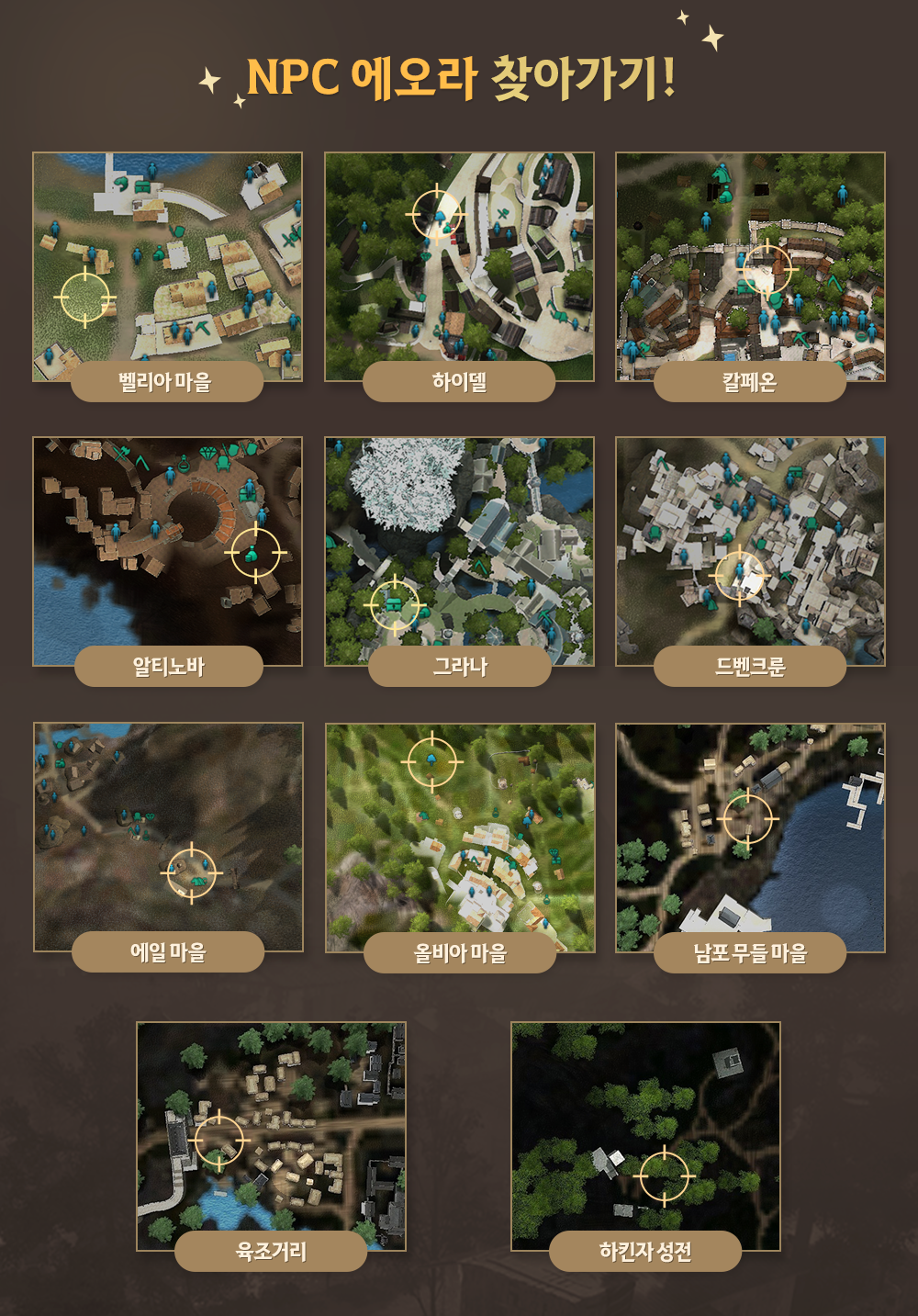
3. You can purchase items and gear from Eiorah, the Global Lab Merchant, located in major cities.
- [Tip] Purchase and sell Global Lab Gold Bars from Eiorah to obtain a large amount of Silver.
📍
Locations of Eiorah, the Global Lab Merchant, in Major Cities
Visit Eiorah in each major city to purchase gear and other items needed for testing.
* Notes
- Event details and duration are subject to change or cancellation due to unforeseen circumstances. Any changes will be announced on this event page without separate notice.
- Participating in the event using inappropriate methods may result in disqualification, reward recovery, and restrictions on game access.
- For any questions or concerns regarding the event, please contact [Support].
- Any content not specified on this page is subject to the [Black Desert Event Rules].
Recent Posts
- [GM Notes] A New Adventure Awaits: Heidel Ball 2026 Recap Jul 26, 2026 (UTC)
- [GM Notes] [Usable Coupons] Don’t Miss Any Coupon Rewards! (Last Updated: 26/07/2026 05:45 UTC) Jul 26, 2026 (UTC)
- [Events] [Global Lab] Pre-play the New Class, Agent Jul 26, 2026 (UTC)
- [GM Notes] [New Class] The Silent Reaper that Never Misses, Agent Jul 26, 2026 (UTC)