
Events Apr 24, 2026, 02:00 (UTC)
[NA vs EU Showdown at Heidel Ball 2026] Regional Tournament Twitch Drops and Livestream
1
[NA vs EU Showdown at Heidel Ball 2026]
Regional Tournament Twitch Drops
and Livestream
April 25, 2026 (Sat) 13:00 (UTC) - April 27, 2026 (Mon) 02:00 (UTC)
1
Tournament (Round of 8 - Finals)
- EU: April 26, 2026 (Sun) 16:00 - April 26, 2026 (Sun) 22:00 (UTC)
- NA: April 26, 2026 (Sun) 20:00 - April 27, 2026 (Mon) 02:00 (UTC)
* Rewards can be claimed once for NA and once for EU.
30 Minutes

High-quality Perfume Box x5

Superior Whale Tendon Potion x50

Item Collection Increase Scroll x10
60 Minutes

Cron Stone x500

Magical Shard x50
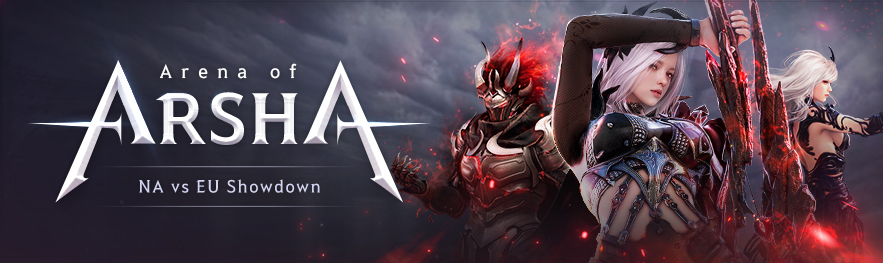
The 3v3 PvP Tournament of the Decade begins now.
Top competitors will battle within their regions, each striving to claim the top spot and earn their place in the NA vs EU showdown.
Catch every moment live on the official Black Desert Online NAEU Twitch Channel.
Livestream Date:
- EU Tournament - April 26, 2026 (Sun) 18:00 CET
- NA Tournament - April 26, 2026 (Sun) 13:00 PT / 16:00 ET
2
Preliminaries (Up to Round of 16)
- EU: April 25, 2026 (Sat) 13:00 - April 25, 2026 (Sat) 21:00 (UTC)
- NA: April 25, 2026 (Sat) 20:00 - April 26, 2026 (Sun) 04:00 (UTC)
* Rewards can be claimed once for NA and once for EU.
30 Minutes
High-quality Perfume Box x3
Superior Whale Tendon Potion x30
Item Collection Increase Scroll x10
60 Minutes
Cron Stone x300
Magical Shard x30
Participating Streamers!
Watch the regional preliminary matches with our partners and content creators!



How to claim your Twitch Drops

Watch a participating channel on Twitch during the event period!
After achieving the required viewing time, receive rewards in your [Twitch Inventory]!
Click on "Claim Drops" in the [Web Storage] after logging into your Black Desert account.
Send the items from the Web Storage to your in-game Mail (B)!
* Notes
- Rewards claimed from [Twitch Drops Inventory] can be retrieved from the Web Storage using the [Claim Drops] button.
- All Twitch Drops must be claimed from the Web Storage and collected from your mail by May 10 (Sun) 23:59 (UTC)
- Each rewards can be claimed once per region for each day during the event.
- Items listed without a quantity are all 1 quantity.
- Pearl Abyss reserves the right to change or cancel the event depending on mitigating circumstances. Any changes will be announced on this event page and will not be given separate notices.
- Event items may be restricted in trade, sale, and usage, with varying binding settings per item. Transfer or recovery of these items is not possible.
- For details on item binding, refer to the in-game item descriptions.
- Items or rewards, once used, cannot be recovered.
- Participating in the event using inappropriate methods may lead to cancellation, reward repossession, and game access restrictions.
- For any questions or concerns regarding the event, please contact us via [Support].
- Any content not mentioned on this page is subject to the [Black Desert Event Rules].
-
 [Events] [Solare] Toward a New Throne Apr 30, 2026 (UTC)
 -
 [Events] [Path of Choice] What’s Your Pick? (Last Updated: 04/30/2026 10:00 UTC) Apr 30, 2026 (UTC)
 -
 [Events] [Path of Choice] Turnout Bonus Events Apr 23, 2026 (UTC)
 -
 [Events] [NA vs EU Showdown at Heidel Ball 2026] Cheer Loud, Predict Smart, Win Big! (Last Updated: 04/18/2026 00:00 UTC) Apr 18, 2026 (UTC)