
Black Spirit's Scheduler
Última modificación : 17 nov. 2026, 13:24 (UTC)
1. What Is the Black Spirit's Scheduler?
The Black Spirit's Scheduler is a tool that helps you systematically manage daily and weekly quests, along with schedules for various in-game content.
The feature is shared across your Family (all characters on your account), so you can view and manage the same schedule regardless of which character you are playing.
[How to Access]
• Go to Menu (ESC) → Function (F8) → Black Spirit's Scheduler.
• Go to Menu (ESC) → Function (F8) → Black Spirit's Scheduler.
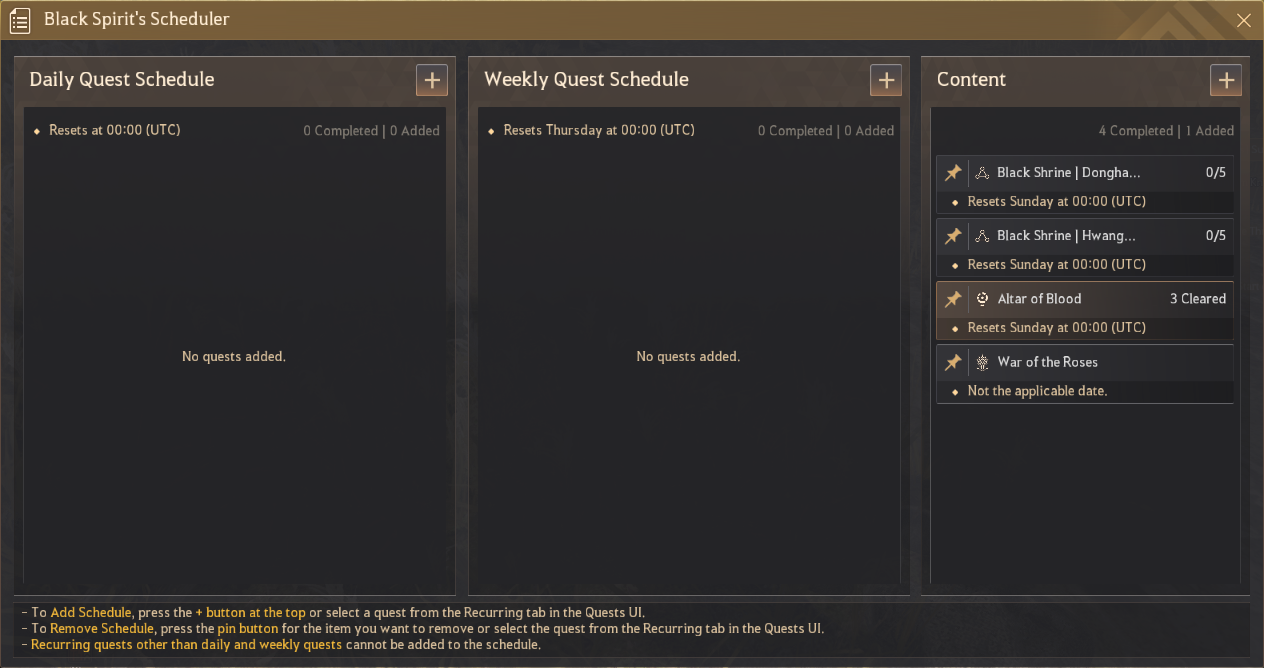
▲ View your objectives at a glance with the Black Spirit's Scheduler.
2. Key Features and How to Use Them
① Adding Schedules and Quests
- Press the [ + ] button at the top of the Scheduler to add a new schedule.
- You can also add a quest directly to the Scheduler by selecting it from the Quests (O) → Recurring tab.
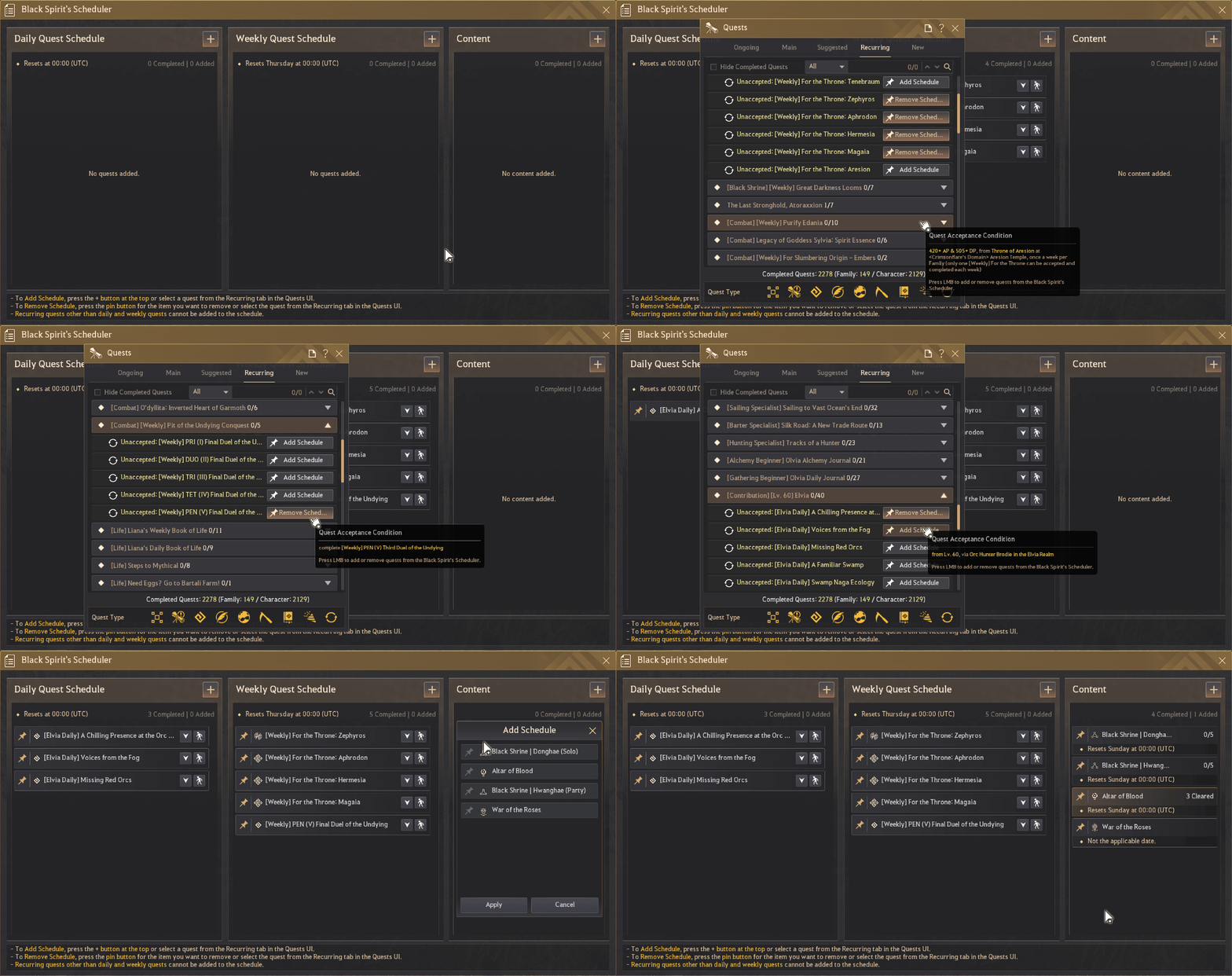
* Only daily and weekly quests can be added; other recurring quests may be unavailable.
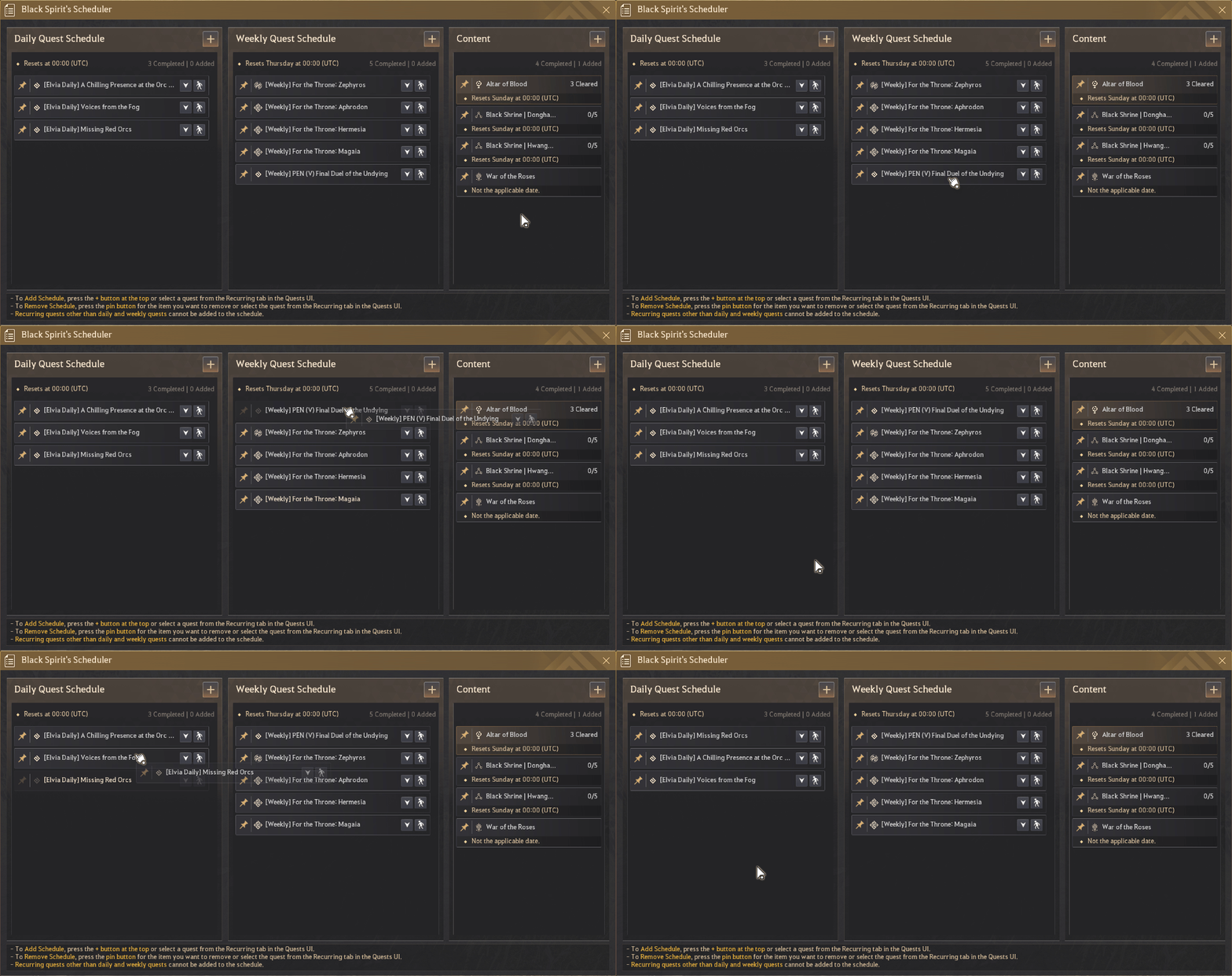
② Reordering Schedules (Drag and Drop)
Click and drag a registered quest or content schedule to move it to your preferred position. Place high-priority items near the top for easier access.
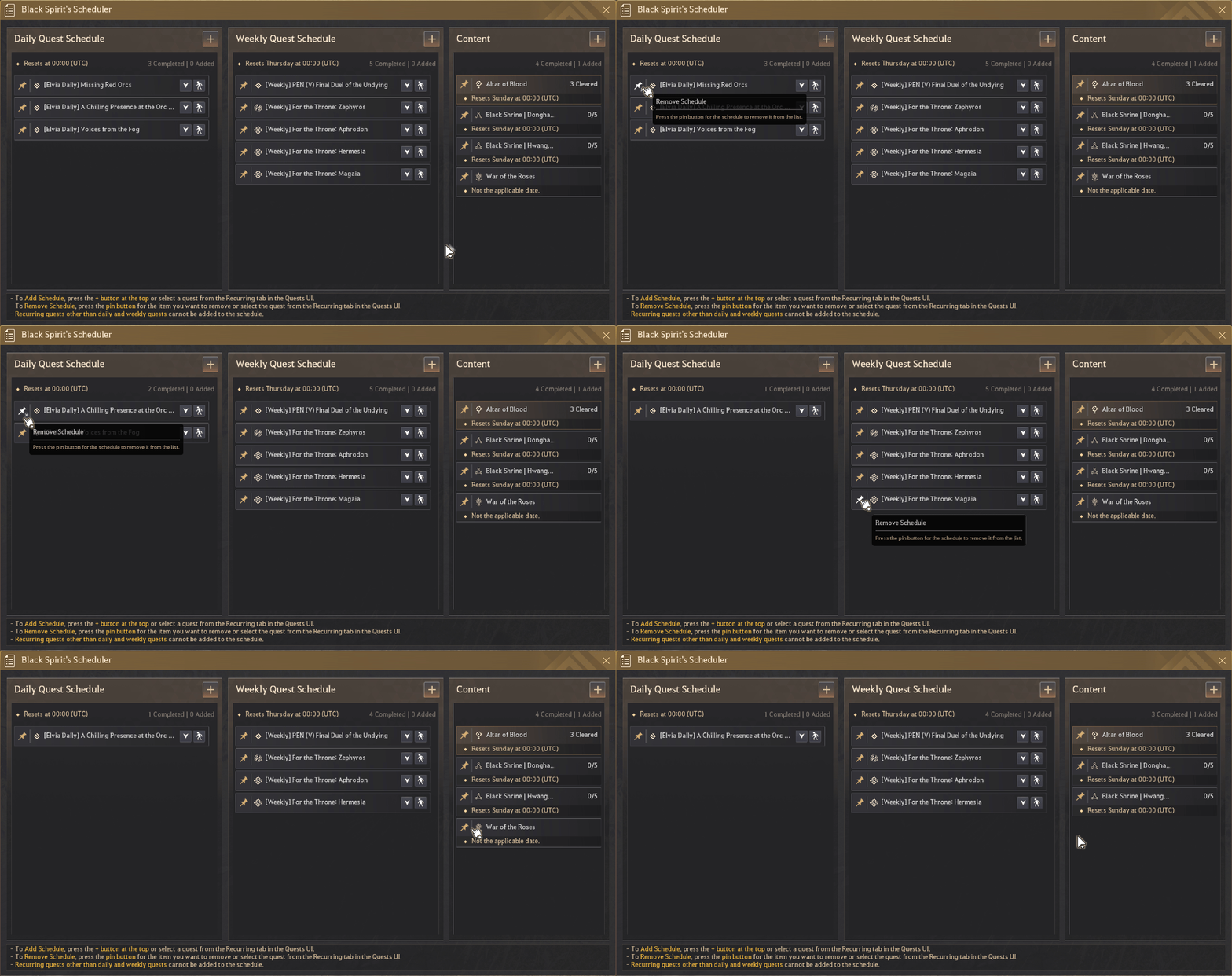
③ Removing a Schedule
- Click the pin button next to an item in the schedule list to remove it.
- Alternatively, open the Quests (O) → Recurring tab and deselect the quest to remove it from the Scheduler.
④ Content Schedule Settings and Pop-up Notifications
- Content display settings: All content schedules are displayed by default when you first use the feature.
- Open the [ + ] settings menu in the Scheduler to toggle individual schedules on or off. Quick access: A notification pop-up appears in the bottom-right corner when you log in, switch characters, or change servers. Click the pop-up to open the Black Spirit's Scheduler and review your tasks for the day.
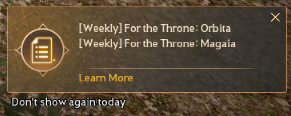
▲ Use the pop-up that appears when you log in with a character to quickly open the Scheduler.