
Guild
Last Edited on : Sep 24, 2026, 15:48 (UTC)
A guild is a group of people who have gathered together for a particular purpose.
There is a lot of exclusive content that can only be conducted if you are a member of a guild, and the reward for the various activities can be shared by all the guild members.
Contents
- 1. How to Create
- 2. Guild Contract
- 3. Guild Activity
- 4. Guild Duties and Rights
- 5. Guild Window
- 6. Guild Communication
- 7. Guild Funds
- 8. Guild Bonus
- 9. Gaining Guild Score
- 10. Guild Mission
- 11. Guild Skills
- 12. Guild War
- 13. Delegating/Replacing Guild Master
- 14. Disband Guild
- 15. Guild Rank
- 16. Guild Manor
- 17. War Hero
- 18. Guild Alliance
How to Create
You can either create your own guild or join an existing one as a guild member.
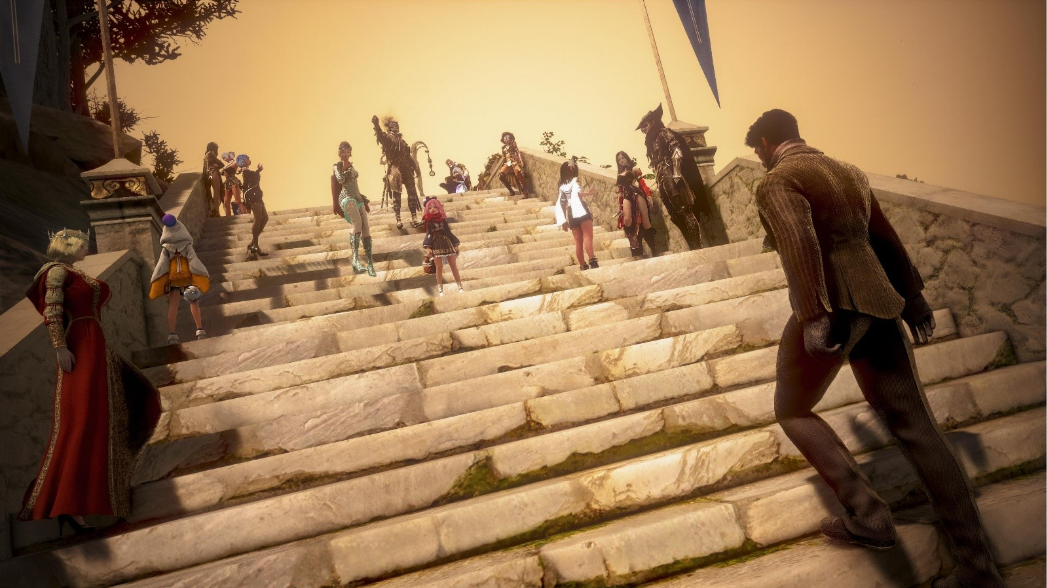
In order to form a guild, you must visit a Guild Manager NPC, which can be found in most large cities.

You can create a guild for a fee of 100,000 silver. Out of this amount of money, 20,000 silver coins are used for the commission fee and you will keep the other 80,000 silver coins as guild funds. These funds cannot be accessed directly, however, they can be used to provide members with a daily pay out, purchase guild specific items, and pay for missions.
All guilds begin as small, can only house 15 Adventurers, and are limited to taking small guild missions.
Tip! Requirements to Create a Guild
- You must not currently belong to a guild.
- You must wait 24 hours after leaving a guild before you can join or create a new one.
- Guild names can only contain 3-16 alphanumeric characters. Spaces and special characters are not allowed.
* If the guild name you want is already being used by another Adventurer, it cannot be used again.
While most guild members have access to the guild shop, only high ranking guild members can purchase items such as structures for conquest wars, or supplies for naval combat, from it. Any items purchased from the guild shop are paid for directly from the guild funds, so discretion should be used when selecting higher ranking guild members, as well as which items to purchase.
If guild funds drop too low, the guild leader can deposit a small amount of silver, or purchases may be taken from high ranking members' own silver.
◈ Register a Guild's/Guild Alliance Emblem
◈ Guild Emblem
To register an emblem representing your Guild, purchase a “Guild Emblem Certificate” from a Guild Manager.
Place the 60 x 60 pixel “Gmark.png” file you want to use as your Guild Emblem in the Documents/Black Desert folder, then register it from the Guild (G) UI.
* Only the Guild Master can set a guild emblem
◈ Alliance Emblem
To register an emblem representing your Alliance, purchase an “Guild Emblem Certificate” from a Guild Manager.
Place the 60 x 60 pixel “GAllianceMark.png” file you want to use as your Alliance Emblem in the Documents/Black Desert folder, then register it from the Guild (G) UI.
* Only the Alliance Master can set an Alliance emblem
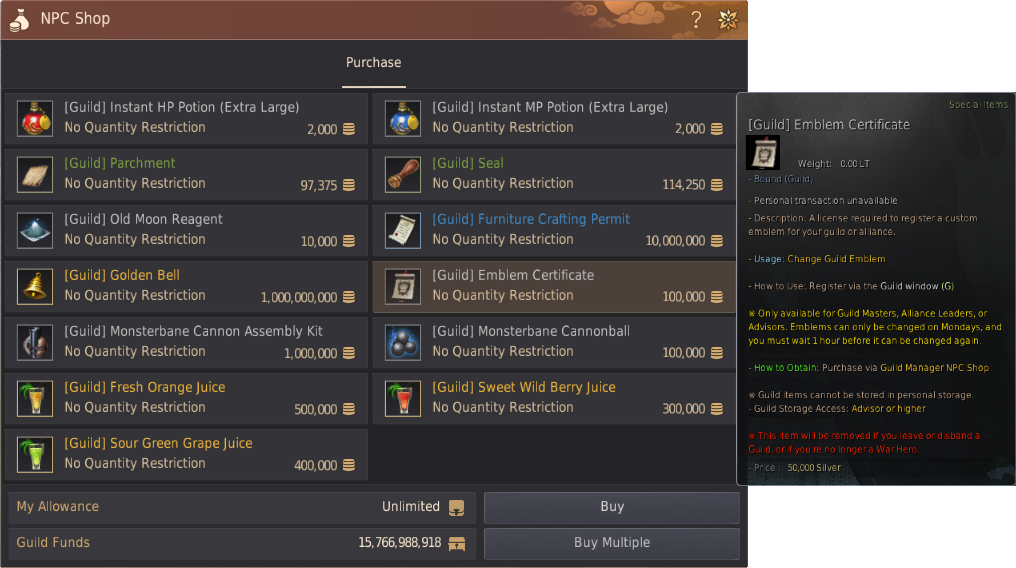
You can click the guild window's Register/Change Guild Emblem button while holding a [Guild] Emblem Certificate item.
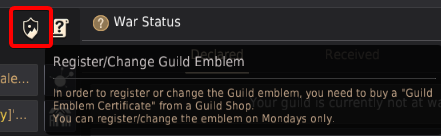

▲ A confirmation window will appear before your Guild Emblem is registered.
Guild Sizes
Depending on the amount of members are recruited in your guild, your guild will increase it's size along with access to specific function such as Guild missions (see below)
| Size | Members |
| Small | 1-30 |
| Medium | 31-50 |
| Large | 51-75 |
| Extra Large | 76-100 |
Guild Base Servers
Guild base servers will allow your guild members to freely change servers within the selected ones, without any cooldown. Only the Guild Master can select the servers. If you wish to change the Guild base servers, you can do so every 30 days.
| Server base groups | |||
| Valencia 1, Valencia 2, Valencia 3 | Valencia 4, Valencia 5, Valencia 6 | Balenos 1, Balenos 2, Balenos 3 | Balenos 4, Balenos 5, Balenos 6 |
| Serendia 1, Serendia 2, Serendia 3 | Serendia 4, Serendia 5, Serendia 6 | Mediah 1, Mediah 2, Mediah 3 | Mediah 4, Mediah 5. |
| Calpheon 1, Calpheon 2, Calpheon 3 | Calpheon 4, Calpheon 5. | Ulukita 1, Ulukita 2, Ulukita 3 | Edania 1, Edania 2, Edania 3 |
Guild Contract
You can invite a player to a guild regardless of the channel/server you are in at that moment. Use the radial interaction menu to send an invitation to that player, or use the Recruit Guild Member tab of the Guild window (hotkey: G).Guilds are joined on a Family basis, and each Family can only belong to one guild at a time. Sign the contract sent by the guild to complete your membership. For the first week after joining, you will be assigned the Apprentice rank.

You can send a Guild Invite to other Adventurers you meet.
In order for an Adventurer to receive the benefits of being a part of the guild, such as any EXP bonus, HP increase, or damage increase from guild skills, they must have an active contract. You can check this by going to the Guild Member Status tab of the Guild window. In the rightmost column of that tab you will see a status symbol for each member, indicating the status of their contract.
Once an Adventurer's contract has expired, you must renew their contract for them to contribute to the guild and receive guild benefits. As with guild invitations, contracts can be renewed in any channel/server.
- Renewal: You can renew your contract 24 hours after signing. Every 100 Activity points can increase your current Daily Pay by 1%, up to a maximum of 100% per renewal. Daily Pay can be received up to a maximum of 5,000,000 Silver.
- Leaving and Kicking: You can leave your guild without penalty once your contract has ended, but leaving during the contract period requires paying a penalty. Conversely, if you are kicked from the guild, you will receive three times your current pay as compensation.

Guild Activity
Every contracted member of a guild, regardless of level, contributes to the guild's EXP. This contribution is listed as guild activity, and can include participating in guild missions, guild crafting, guild boss subjugations, leveling characters' life skills, and participating in guild wars, participating in node & conquest wars and participating in Blue Battlefield. Please note that the point distribution criteria can be changed for all the above except node & conquest wars.To see a guild member's overall activity, as well as how much they have earned during their current contract period, check the Activity column of the Guild Member Status tab. The first number, in white, is their overall activity, while the second, in green, is their current contribution.

Guild Duties and Rights
You can appoint an advisor and officers in a guild.
There can only be one guild advisor, and they help the guild master oversee the guild. Guild officers help the guild master manage the guild with their granted authorities. There are no limits to the number of officers a guild can appoint.
The guild master can even choose to appoint everyone, or no one, as guild officers.
| Default Authority by Rank |
Description | ||
| Master & Advisor | - All authorities granted |
|
|
| Staff & Secretary |
- Invite and renew contract
- Ban
- Set activity points
- Set intro, promote and recruit
- Write and edit notice
- Write and edit saying of the day
- Refresh member info
- Grant authorities
- Accept and complete missions
- Learn and use guild skills
- Reset guild skills summon bosses
- Manage guild mounts
- Use guild storage
- Declare/end war
- Hire war hero
- Set protection capacity
|
- Apply for Node War
- Install and demolish fort/annex
- Collect and install flag
- Use elephant nursery
- Remotely remove siege weapons
- Interact with Conquest gates
- Change Node and Conquest colors
- Apply and reserve Arena of Arsha
- Apply for Guild League
- Use guild shop
- Distribute allowance
- Collect support funds
- Appoint and demote positions
- Set member capacity
- Succeed guild master when offline
- Guild crafting.
|
|
| Officer |
- Invite and renew contract
- Set intro, promote and recruit
- Write notice
- Write saying of the day
- Refresh member info
- Accept and complete missions
- Learn and use guild skills
- Summon bosses
- Manage guild mounts
- Use guild storage
- Declare and end war
- Hire war hero
- Set protection capacity
|
- Apply for Node War
- Install and demolish fort/annex
- Collect and install flag
- Use elephant nursery
- Remotely remove siege weapons
- Interact with Conquest gates
- Change node and conquest colors
- Apply and reserve Arena of Arsha
- Apply for Guild League
- Use guild shop
- Distribute allowance
- Collect support funds
|
|
| Quartermaster, Cannoneer & Mission Specialist |
- Accept/complete missions
- Use guild storage
- Install and demolish fort/annex
- Collect and install flag
- Use elephant nursery
- Remotely remove siege weapons
- Interact with Conquest gates
- Use guild shop
|
|
|
| General Members | - Use guild storage, use guild shop |
|
|
| Apprentice Members | - Use guild shop |
|
|
Regarding the reissue / renewal of membership contracts, please note the following:
- Any rank above officer can renew their own contract, and the contracts of any rank below them.
- Officers can renew all member type (mission specialist, cannoneer, quartermaster, and general member) contracts, but not their own.
The default authority settings for each guild position is as follows, but keep in mind guilds will be able to freely set custom permissions for each rank.
| How to Appoint Position | How to Set Authorities |
|
(Guild window - Guild Member Status - Click Guild Member - Appoint Position UI)
 |
(Guild window - Guild Member Status - Click Guild Member - Set Authorities UI)
 |
Setting Guild Authorities Example

Authorities are divided into 4 groups, but can be individually activated as well:
| "Management" Group | |
| Authority | Description |
| Invite/Renew Contract | - Authority to invite new members or renew their contracts |
| Kick | - Authority to remove members from the guild |
| Appoint/Demote Positions | - Authority to appoint or demote members' positions excluding yourself |
| Set Member Capacity | - Authority to expand the guild’s maximum member capacity using Guild Funds |
| Set Activity Points | - Authority to distribute/set guild activity points and approve/decline guild point forms |
| Set Intro/Promote/Recruit | - Authority to write guild promotion posts and manage recruitment listings on the official website |
| Edit Notice/Saying | - Authority to edit the Guild Notice and Saying of the Day |
| Refresh Member Info | - Authority to refresh the latest information of online members |
| Change Guild Name/Emblem | - Authority to change the Guild Name or Guild Emblem |
| Grant Authorities | - Authority to grant specific authorities to other members |
| "Activities" Group | |
| Authority | Description |
| Accept/Complete Missions | - Authority to accept or complete missions that contribute to guild growth |
| Learn/Use/Reset Guild Skills | - Authority to learn, use, and reset Guild Skills |
| Guild Crafting | - Authority to manage processing and mount crafting within the Guild House |
| Manage Guild Mounts | - Authority to summon, recover, and manage the equipment and inventory of Elephants, Galleys, and other mounts |
| Summon Bosses | - Authority to summon guild-exclusive bosses |
| Use Guild Storage | - Authority to access the shared Guild Storage. Restrictions apply by position. |
| Handle Doomcaller | - Authority to manage Doomcaller, a powerful Guild Mount |
| "Combat" Group | |
| Authority | Description |
| Declare War | - Authority to declare war on other guilds |
| Hire War Hero | - Authority to make contracts with and hire War Heroes |
| Apply for Node War | - Authority to apply for Node War participation |
| Install/Demolish Fort/Annex | - Authority to install and demolish forts and annexes such as cannons and flame towers |
| Collect/Install Flag | - Authority to collect and install the Indomitable Flag, an outpost used in Node and Conquest Wars |
| Use Elephant Nursery | - Authority to use the Elephant Nursery to summon Elephants during Node and Conquest Wars |
| Remotely Remove Siege Weapons, Interact with Conquest Gates | - Authority to remotely control or remove cannons, gates, siege towers, and more |
| Change Node/Conquest Colors | - Authority to change colors used to distinguish other guilds during Node and Conquest Wars |
| Apply/Reserve Arena of Arsha, Apply for Guild League | - Authority to apply for Guild League and reserve / use the Arena of Arsha |
| Change Node War Mode | - Authority to change Tier 2 or higher Node Wars to Occupation or Construction mode |
| "Finances" Group | |
| Authority | Description |
| Use Guild Shop | - Authority to purchase goods from the shop using Guild Funds |
| Distribute Allowance/Bonus | - Authority to allocate allowances and distribute bonuses from Guild Funds |
| Collect Support Funds | - Authority to collect the weekly support funds provided by the system |
| Guild House Auction, Pay Fees | - Authority to collect the weekly support funds provided by the system |
| Pay Fees | - Authority to participate in Guild House bidding and pay maintenance fees |
Notes
- Only the Guild Master can disband a guild, as before.
- Only Apprentice guild members, guild members, and mission specialists can be designated as protected members, as before.
- If the Guild Master has not logged in for 15 days or more, a guild member with the granted authority can be appointed as the new Guild Master.
- Only Apprentice guild members, guild members, and mission specialists can be designated as protected members, as before.
- If the Guild Master has not logged in for 15 days or more, a guild member with the granted authority can be appointed as the new Guild Master.
- Use Guild Skills authority excludes Command to Gather, Battle Command to Gather, Breath of Life, and Blessing of Battle.
Tip! The Guild Master or a guild member with the proper authority can change positions from the member list in the Guild (G) UI. All new members start as Apprentices and are automatically promoted to regular guild members after 7 days.
Guild Fame
Guilds are an important part of the experience, letting you adventure with other Adventurers, build memories, and create stories together.
Take part in various activities with your guild members to build Guild Fame. Accumulated Guild Fame can be used to apply beneficial guild effects or access additional content.
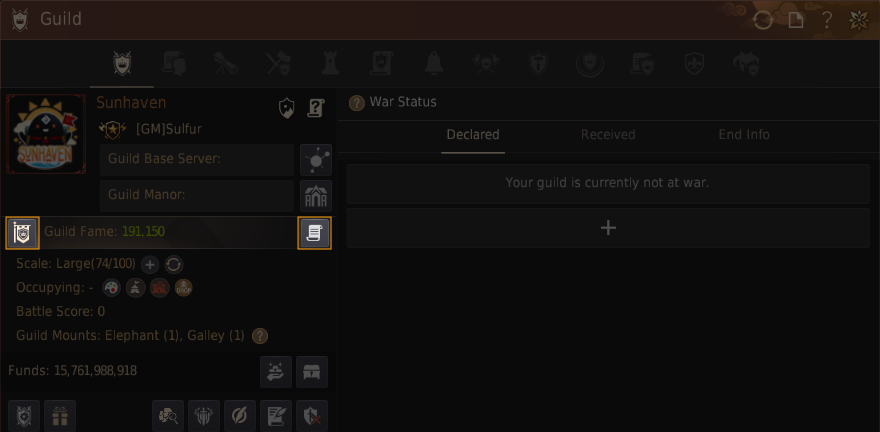 |
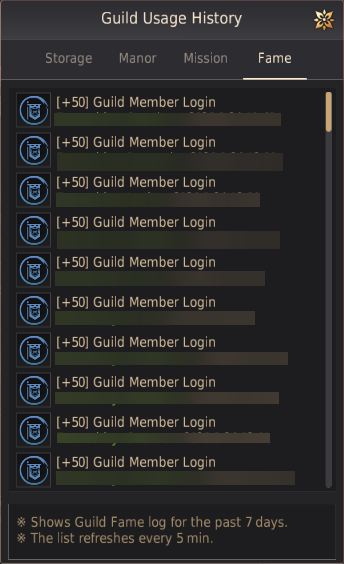 |
▲ The Guild UI shows your current Guild Fame, the benefits and penalties based on Guild Fame, and a record of Fame gained or lost.
◈ How to obtain Guild Fame
Guild Fame can accumulate up to a maximum of 1,000,000 points through guild member logins and various activities.
|
Activity |
Fame Obtained |
|
Guild Member Login |
50 |
|
Complete a Guild Mission once |
1,000 |
|
Defeat 1 Guild Boss |
10,000 |
|
Guild League Victory |
500 |
|
Blue Battlefield Victory |
5,000 |
|
Node War (Tier 1) Victory |
5,000 |
|
Node War (Tier 2) Victory |
25,000 |
|
Node War (Unlimited) Victory |
35,000 |
|
Conquest War (Tier 1) Victory |
50,000 |
|
Conquest War (Tier 2) Victory |
75,000 |
|
Conquest War (Unlimited) Victory |
100,000 |
|
War of the Roses Victory |
150,000 |
Total Guild Fame Benefits
Based on total Guild Fame, all guild members receive bonus Daily Pay and powerful passive skills. The bonus Daily Pay does not consume Guild Funds.
|
Total Guild Fame |
Daily Guild Mission Count Increase (Total Count) |
Bonus Daily Pay |
Benefits |
|
900,000 |
+1 (20) |
900% |
[Passive Skill - Monster Specialist] Extra AP Against Monsters +8 |
|
800,000 |
+1 (19) |
800% |
[Passive Skill - Light Footsteps] Weight Limit Increase +100 LT; Glorious Subjugation, Life, and Trading Guild Missions added |
|
700,000 |
+1 (18) |
700% |
[Passive Skill - Skilled Hands] Life Skill Mastery +50 |
|
600,000 |
+1 (17) |
600% |
[Passive Skill - Fortune’s Guidance] Item Drop Rate +20% |
|
500,000 |
+1 (16) |
500% |
Enhanced Blessing of Fortuna |
|
400,000 |
+1 (15) |
400% |
Enhanced Guru’s Touch |
|
300,000 |
+1 (14) |
300% |
Enhanced State of Nothingness |
|
200,000 |
+1 (13) |
200% |
[Passive Skill - Energetic Hands] Life EXP +50% |
|
100,000 |
+1 (12) |
100% |
[Passive Skill - Mercenary’s Resolve] Combat EXP +100% |
|
50,000 |
+1 (11) |
50% |
- |
|
- |
0 (10) |
0% |
- |
Guild Fame Uses
Guild Fame decreases by a set amount each week based on the guild’s size and also decreases when using certain content. Guild Fame can drop to a minimum of -2,000,000. If Guild Fame falls below 0, the guild’s name turns red and the guild cannot participate in Conquest War or the War of the Roses. Its members also cannot participate as War Heroes for other guilds.
◈ Guild Fame Decrease Based on Scale
|
Guild Scale |
Decrease Amount |
|
Small |
-2,500 |
|
Medium |
-5,000 |
|
Large |
-7,500 |
|
Extra Large |
-10,000 |
◈ Guild Activity Cost and Conditions
|
Activity |
Fame Cost per Use |
Conditions |
|
War Declaration. ※ Guild Fame can drop below 0. (Example: With 100,000 Guild Fame, declaring war drops it to -300,000.) |
400,000 |
At least -1,600,000 Fame |
|
Reset Guild Base Server Cooldown |
100,000 |
At least 100,000 Fame |
|
Recharge summon attempts for 1 existing Guild Boss or Duoksini/Gumiho |
25,000 |
At least 25,000 Fame |
|
Additional Command to Gather |
25,000 |
At least 25,000 Fame |
|
Golden Bell |
20,000 |
At least 20,000 Fame |
Guild War
War Declaration Rules
- Fame Cost: Declaring war deducts 400,000 Guild Fame points.
- Guild War Duration: A declared war lasts 6 hours by default and extends to 7 days if the opposing guild accepts.
- Declaration Requirements: Your guild must have at least 10 members online at the time, and 7 days must have passed since the guild’s creation.
* Once a guild war is declared, it cannot be withdrawn.
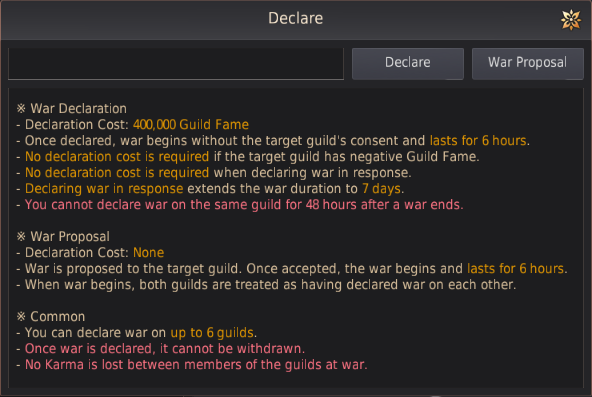


▲ To automatically reject all guild war proposals, activate Reject Guild War Proposals under Settings.
Notes
- You can declare war on up to 6 guilds at once.
- War can be declared on guilds with negative Guild Fame without spending Guild Fame.
- Guilds with negative Guild Fame can have war declared on them without restriction.
- Guilds with Guild Fame below -1,600,000 cannot declare guild war.
- Once you declare war on a guild, you cannot declare war on that guild again for 48 hours.
- After war is declared, it begins after about 5 minutes.
- Wars initiated through an accepted war proposal are mutually agreed upon, so neither guild loses Guild Fame.
Guild Rank
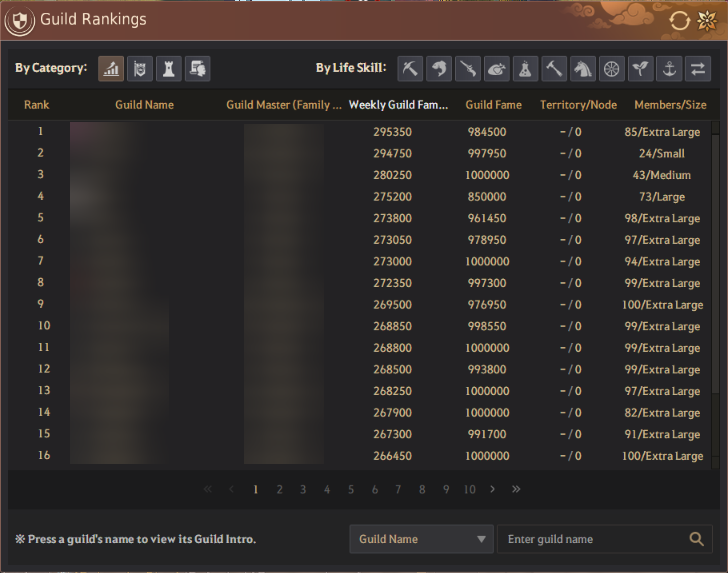
You can view each guild’s activity stats via Guild Rankings in the ESC menu.
You can check each guild’s Fame, territory occupation status, member count, and scale, helping you find a guild that suits your playstyle.
Guild Funds
Guild Funds start at 80,000 Silver upon creating a guild and can be increased through various activities. Guild Funds are used solely for guild operations, and no member may withdraw them personally, including the Guild Master.
◈ How to obtain guild funds
- Guild Missions: The most basic way to earn funds. Rewards vary by mission scale and details.
- Node/Conquest War: Win to collect a portion of the territory’s taxes as Guild Funds.
- Great Ocean Monster: Sell loot from defeating sea monsters at the Guild Shop.
◈ Bonus, Guild Tax, and Support Funds
- Bonus: A reward that encourages guild members to take part in guild activities. Once every 7 days, you can distribute 10–40% of Guild Funds to guild members across 10 tiers (Requires 30 or more normal-rank or higher guild members).
* If the bonus exceeds 500 million Silver, a 50% tax is applied to the excess amount only. If it exceeds 1 billion Silver, a 70% tax is applied to the excess amount only.
- Guild Tax: To help all guilds thrive together, this tax is levied every Sunday at midnight on guilds holding 1 billion Silver or more.
|
Guild Funds |
Tax Paid |
|
1 billion+ Silver |
1% of Guild Funds |
|
5 billion+ Silver |
3% of Guild Funds |
|
10 billion+ Silver |
5% of Guild Funds |
|
20 billion+ Silver |
10% of Guild Funds |
|
30 billion+ Silver |
15% of Guild Funds |
|
50 billion+ Silver |
20% of Guild Funds |
Guilds holding less than 1 billion Silver in Guild Funds are exempt from the Guild Tax.
Guild Support Funds: Each week, you can collect Support Funds based on your guild’s scale.
|
Guild Scale |
Support Funds |
|
Small |
100,000,000 Silver |
|
Medium |
200,000,000 Silver |
|
Large |
300,000,000 Silver |
|
Extra Large |
400,000,000 Silver |
* Guild Support Funds must be collected by a guild member with the proper authority via the collect button while at least 10 guild members are online.
Guild House
A Guild House is a space that can accommodate large numbers of members. Unlike regular residences, which are obtained with Contribution Points, ownership of a Guild House is decided through an auction bidding system. The auction is held once every two weeks, from Friday to Saturday. The winning guild owns the house for two weeks, and all of its guild members can use it.
|
Guild House Auction Guide |
||
|
Eligibility |
Guild Master or guild members granted Guild House Auction authority |
|
|
Available Time |
• Regular Auction: Once every two weeks |
|
|
Minimum Bid |
• Regular Auction: Bidding starts from 100,000 Silver. |
|
|
Usage Period and Rules |
• Regular Auction: The guild can use the house for two weeks, from the day it is won until the next regular auction day two weeks later, Friday 18:00. |
|
|
Detailed Auction Rules |
1. When an auction begins, it is announced to the world through an in-game notification. 4. Auctions use a blind bidding system where bids by other guilds and bid amounts cannot be viewed. |
|
Notes
- Guilds that win a Guild House must pay the maintenance fee every day at midnight. The maintenance fee is 5% of the winning bid and is automatically deducted from Guild Funds.
Example: Guild House winning bid - 100,000,000 Silver / maintenance fee - 5,000,000 Silver
- If Guild Funds are insufficient to pay the maintenance fee, the fee becomes unpaid and use of the Guild House may be restricted.
- If Guild Funds fall below 0 Silver due to maintenance fees or other payments, you can use personal Silver to restore Guild Funds back to 0 Silver. Any member can contribute silver to compensate negative funds. Once the due amount is filled, the guild master, advisor can proceed the payment of negative funds to restart the guild activity.
Example: Guild House winning bid - 100,000,000 Silver / maintenance fee - 5,000,000 Silver
- If Guild Funds are insufficient to pay the maintenance fee, the fee becomes unpaid and use of the Guild House may be restricted.
- If Guild Funds fall below 0 Silver due to maintenance fees or other payments, you can use personal Silver to restore Guild Funds back to 0 Silver. Any member can contribute silver to compensate negative funds. Once the due amount is filled, the guild master, advisor can proceed the payment of negative funds to restart the guild activity.
- If your guild funds are negative, using the the Guild skills will not grant buffs and you won't be able to start guild missions.
◈ Guild House Features
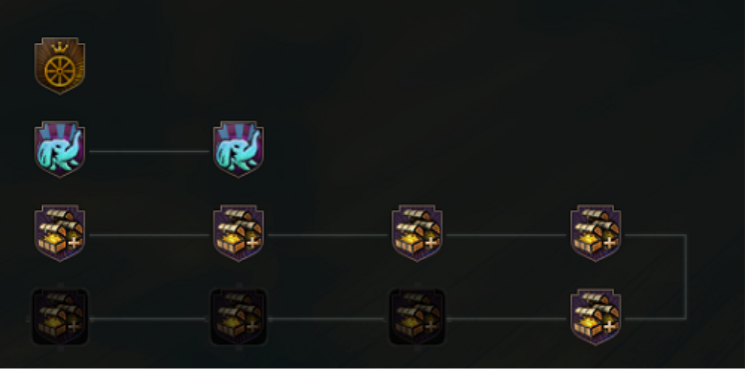
- Guild Processing and Crafting: Use Guild Processing to craft elephant equipment, galley materials, and more.
- Special Mounts: Guild Houses in Valencia Territory let you raise elephants, while Guild Houses in certain regions let you build galleys.
Guild Mission
Guild Missions are content where guild members work together to achieve objectives and earn rewards such as Guild Funds, guild items, and personal Silver. Missions vary by the guild’s scale and category. Completing a mission grants Guild Funds, Fame and Points, as well as Silver for participating members based on individual contribution.
You can accept a limited number of Guild Missions. This count recharges by 10 (up to 20 depending on Fame) each day, up to a maximum stacked amount of 30.

① Mission in Progress and Starting Member
Displays real-time information on the Guild Mission your guild has accepted and is currently progressing, along with the Family name of the guild member who started it.
② Guild Mission Filter Settings
Efficiently filter and search the mission list to find missions that match your guild’s needs and scale.
-
- Available Guild Mission: Check in real time which missions are available on which channel (server) and click to move to that channel instantly.
-
- Detailed Mission Filter: Select the mission type that matches your guild’s preferred activity (Subjugation, Life, Trading, or Boss Subjugation), and the scale that fits your guild scale (Extra Large, Large, Medium, or Small)
③ Detailed Information and Mission Progress
View accepted Guild Missions at a glance, including their objectives, current progress, and remaining time.

- Glorious Guild Missions: While your Guild Fame is at least 800,000, Glorious missions are added to Subjugation, Life, and Trading Guild Missions. Glorious Guild Missions grant more Silver than regular missions.
Tip! [Subjugation] and [Trade/Bartering] missions will reward scroll pieces that, when put together, allow the guild to challenge powerful bosses for increased rewards.
➤ You can read more about this feature in the [Guild Boss] page.
◈ Guild juices
Once your guild mission has concluded, Guild juices will be granted to the guild. Members can store them in the Guild storage for a general usage within the guild members. These juices can be consumed by characters with respectively Health, Breath, Strength below Lv. 29.
 [Guild] Fresh Orange Juice
|
Greatly increases Health EXP |
 [Guild] Sweet Wild Berry Juice
|
Greatly increases Breath EXP |
 [Guild] Sour Green Grape Juice
|
Greatly increases Strength EXP |
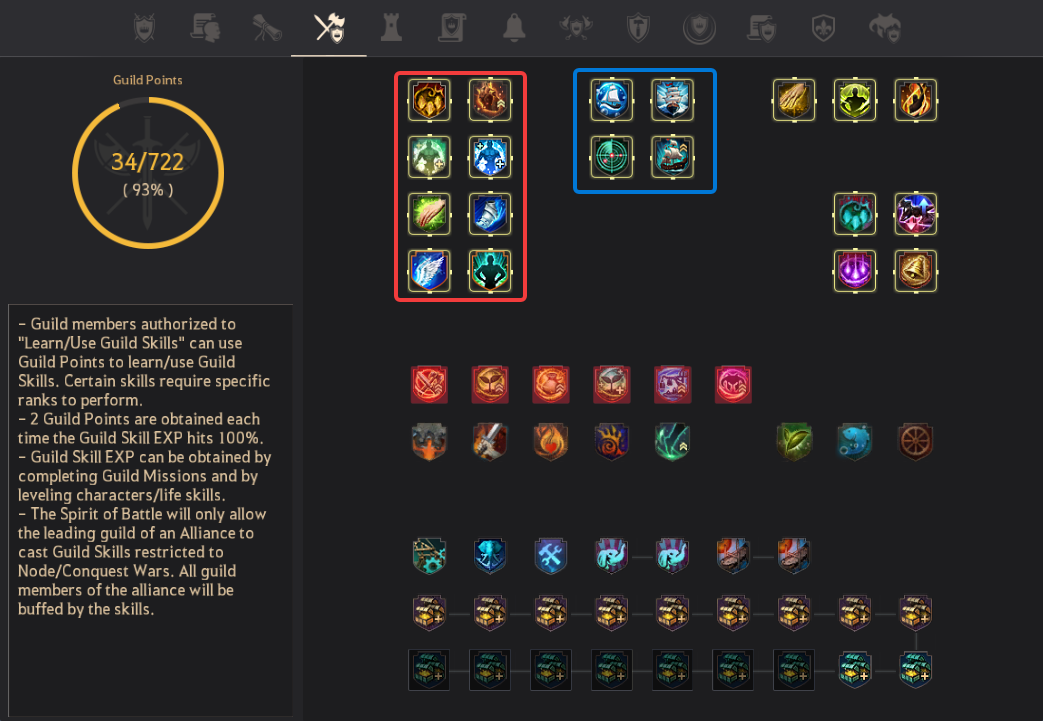
Guild Skills & Buffs
Guild Skills are divided into passive skills that always apply to all guild members and active skills used directly by the Guild Master.
Beyond powerful boosts such as AP and HP increases, skills like Command to Gather, which calls scattered guild members to one place, play a crucial role in situations such as Node War, Conquest War, and guild war.
Guild Skills can be unlocked or activated by accumulating Guild Points.
◈ Guild Buffs/Passives
The popular Guild Buffs allow each member to be granted a bonus that lasts 2 hours on any server & any character. Cooldowns are 3 hours, so use them without moderation!
As Guild Fame increases, new skills are unlocked and existing skills are enhanced.
|
Guild Skills Unlocked at Higher Guild Fame |
|||||
|
[Passive] Monster Specialist Extra AP Against Monsters +8 |
[Passive] Light Footsteps Weight Limit +100 LT |
[Passive] Skilled Hands Life Skill Mastery +50 |
[Passive] Fortune’s Guidance Item Drop Rate +20% |
[Passive] Energetic Hands Life EXP +50% |
[Passive] Mercenary’s Resolve Combat EXP +100% |
| Normal | Enhanced | ||||
 Blessing of Fortuna
Item Drop Rate +20% / Knowledge Gain Chance +15% / Higher Grade Knowledge Gain Chance +2% |
 Generous Blessing of Fortuna
Item Drop Rate +30% / Knowledge Gain Chance +15% / Higher Grade Knowledge Gain Chance +2% |
||||
 Guru's Touch
Life EXP +50% / Life Skill Mastery +50 |
 Exquisite Guru's Touch
Life EXP +75% / Life Skill Mastery +75 |
||||
 State of Nothingness
Combat EXP +200% / Skill EXP +50% / Karma Recovery +15% |
 Powerful State of Nothingness
Combat EXP +300% / Skill EXP +75% / Karma Recovery +15% |
||||


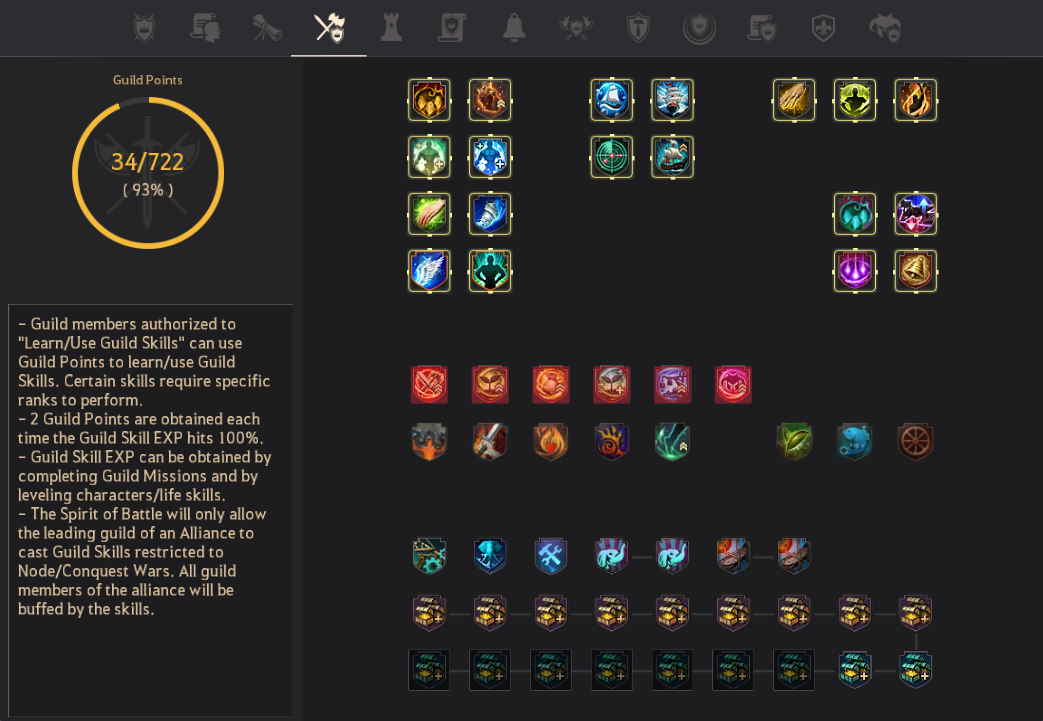
◈ Passive skills related to Combat
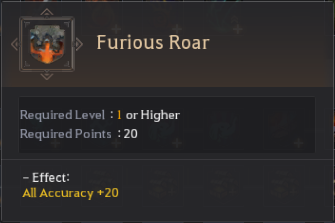
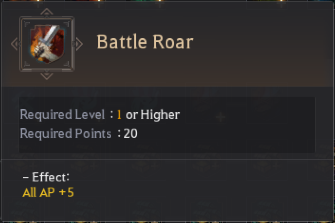
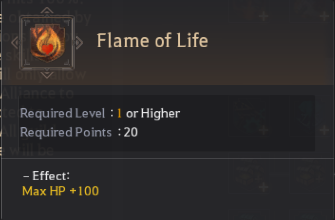
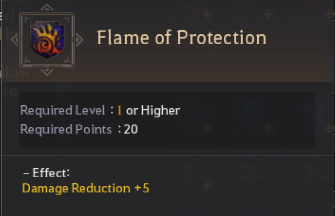
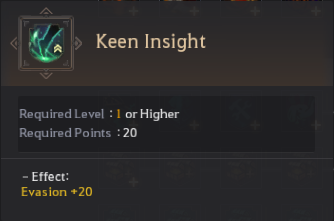
Out of the combat-related passives, there is Furious Roar (All accuracy), Battle Roar (all AP increase), Flame of Life (Max HP increase), Keen Insight (All evasion), and Flame of Protection (Damage Reduction).
They are guild skills that are useful for bot PvP & PvE, make sure to give them a good priority!
 |
 |
 |
 |
 |
◈ Exclusive Node War & Blue Battlefield Skills
| Node war/Conquest Exclusive | Blue Battlefield Exclusive | ||
|
Battle Command to Gather |
Cast a teleportation spell to gather all guild members participating in a Node/Conquest War. All guild members who respond to the spell will teleport to the caster's location. |
Seaforge Blessing |
Repair 15% of Guild Member's Ship Durability (only during Blue Battlefield - excluding Guild Galley) |
|
Horrors of Battle |
Max HP +2000 (only during Node/Conquest War)
- Duration: 10 min (Nullified upon death)
|
BreezyVoyage |
Guild Member's Ship Speed +20% (only during Blue Battlefield)
- Duration: 5 min
|
|
Battle Reorganization I & II |
Instantly recover all guild members' HP to full (only during Node/Conquest War) |
Seawatch Pulse |
Displays enemy ship locations on the World Map (only during Blue Battlefield)
- Duration: 5 min
|
|
Healing Touch |
Recover 200 HP every 3 sec (only during Node/Conquest War)
- Duration: 1 min (Nullified upon death)
|
 Admiral's Rally
|
Extra Damage Against Ships and Forts +5200 (only during Blue Battlefield)
- Duration: 5 min
|
|
Boost Morale |
Movement Speed +20% (only during Node/Conquest War)
- Duration: 1 min (Nullified upon death)
|
||
|
Breath of Life |
Remove the revival cooldown of all dead guild members (applied only around a Fort/Command Post during Node/Conquest War) | ||
|
Blessing of Battle |
Recover 500 HP every 3 sec, All Damage Reduction +200, Movement Speed +10%, Super Armor (applied only around a Fort/Command Post during Node/Conquest War) | ||


War Hero
The War Hero system allows Adventurers to join another guild's wars, Node Wars, Conquest Wars, or the War of the Roses as temporary members, participate in battles, and earn rewards for their contributions.
|
Category |
Sign-Up Conditions and Restrictions |
|
Joining Process |
• Sign-Up: Receive a War Hero Employment Contract from an Adventurer with appropriate authority in the guild you want to join. |
|
Time Restrictions |
• Unavailable while Content Is in Progress: You cannot join while Node War, Conquest War, War of the Roses, or similar content is in progress. |
|
Affiliation Restrictions |
• Occupying Guild Restriction: Guilds that already occupy a territory cannot hire War Heroes, and their members cannot join other guilds as one. |
|
War of the Roses Special Rules |
• Guilds or alliances selected as leading guilds can recruit War Heroes without a limit until War of the Roses begins. |
Tips for New Guild Officers (War Hero Hire Limit Examples)
- War Heroes can only be hired up to the recruiting guild’s maximum member capacity.
- Extra Large Guild (66 Current Members / Max 100): Can hire up to 34 War Heroes.
- Large Guild (50 Current Members / Max 70): Can hire up to 20 War Heroes.
* However, Node War and Conquest War have special restrictions. Each participating offensive/defensive guild can hire up to 5 War Heroes in Conquest War, and 3 in Node War.
◈ Available and Restricted War Hero Permissions
While serving as a War Hero, you receive the recruiting guild's benefits, but some functions are restricted
|
✔ Available |
❌ Unavailable |
|
• Combat: Can participate in Node War, Conquest War, and War of the Roses as a member of the recruiting guild. |
• Fort Construction: Cannot install new annexes in Node War or similar content. • Blue Battlefield: War heroes cannot participate in Blue Battlefield |
◈ War Hero Pay and Victory Reward
|
Reward |
Distribution Method and Rules |
|
Contract Payment (Immediate) |
When a War Hero Contract is made, part of the recruiting guild’s funds is paid immediately as a contract payment (up to 10,000,000 Silver). |
|
Victory Reward (Conditional) |
A victory reward can be set when the contract is made. If the guild wins the Node or Conquest War that day, the agreed reward is paid immediately (up to 20,000,000 Silver). |
|
Guild Fund Protection and Refunds |
• Contract payments and victory rewards cannot exceed the guild’s available funds. |
|
How to Claim Rewards |
Claim all War Hero rewards via Guild (G) - War Hero - Participation Reward. Rewards will be sent to your character's inventory. |
◈ Contract Cancellation and Termination
- Automatic Termination at Midnight: War Heroes cannot cancel their contract or leave partway through, and all contracts end automatically at midnight (24:00) each day.
- Automatic Reconnection: When the contract ends at midnight, you will briefly go through a loading screen and be reconnected to the game automatically.
- Guild-Exclusive Item Removal: As soon as a War Hero contract ends, any guild-exclusive items from the recruiting guild left in your inventory are automatically removed.
Guild Manor
A guild member's manor can be set as the guild's representative manor. This option allows other members to directly teleport to the manor and use guild items that give buffs.◈ How to Set the Guild Manor
The Guild Master or an Advisor can set the guild manor by clicking No guild manor has been set. in the Guild Window (G).

In the Guild Manor Settings window, enter the Family Name of the member you wish to designate and specify the manor they own.

The Family name of the Guild Manor's owner will display in the Guild Window (G).

◈ How to Use Guild Manor
Any guild member can move to the Guild Manor from anywhere.
- How to Enter: Enter using the "Guild Manor Teleport" button in the Guild Window (G).
(You can enter the Guild Manor from all areas, excluding some content and regions, with a set amount of time required for teleport.)
- How to Exit: Move to the character's previous location through the Guild Manor exit.
◈ Guild Furniture
Stuffed guild furniture can be placed in the guild manor and be used by any guild members to obtain temporary buffs.
Keep in mind the following!
- Guild furniture can only be installed inside the guild manor and can be stored or retrieved through the guild storage.
- When guild furniture is installed in the guild manor, a notification message is displayed to all guild members online.
- Guild furniture cannot be sold or purchased through the Central Market.
- Breath of Resentment is a personal item and cannot be stored in the guild storage.
- If the guild manor is removed or changed, installed guild furniture will be moved to the guild storage.
- Personal furniture with consumed durability cannot be converted into guild furniture.
- Guild members cannot interact with personal furniture placed in the manor, except for [Guild] furniture.
- Guild furniture can only be installed inside the guild manor and can be stored or retrieved through the guild storage.
- When guild furniture is installed in the guild manor, a notification message is displayed to all guild members online.
- Guild furniture cannot be sold or purchased through the Central Market.
- Breath of Resentment is a personal item and cannot be stored in the guild storage.
- If the guild manor is removed or changed, installed guild furniture will be moved to the guild storage.
- Personal furniture with consumed durability cannot be converted into guild furniture.
- Guild members cannot interact with personal furniture placed in the manor, except for [Guild] furniture.
| Simple recipe example | ||
 Master's Special Stuffed Shadow Lion Head
|
Purchased from Central Market
or
Obtained by upgrading the Stuffed Shadow Lion Head through Manufacture |
[Guild] Master's Special Stuffed Shadow Lion Head
Placeable in your Guild Manor
|
 [Guild] Essence of Fury
|
Obtained by completing Guild Quests | |
 Breath of Resentment
|
Obtained through Boss Blitz Hwanghae Subjugation weekly rewards | |
 [Guild] Furniture Crafting Permit
|
Sold by Guild NPC | |
Guild Alliance
An alliance is a group of guilds that can participate in various guild activities under a unified name.
To create an alliance, the Guild master must invite another guild master and set a ratio between both guilds.

- An Alliance can be formed upon sending an invitation to Guild Masters logged on to the same server.
- A Guild that is occupying a Node or Territory may not join an Alliance.
- A minimum of 10 members are required for Guilds seeking to join an Alliance.
- An Alliance can have a maximum of 10 Guilds or 150 members.
- Your Alliance affiliation is maintained only while Node / Conquest Wars are in progress. When this is the case, the name of your Alliance is displayed instead of the name of your Guild.
- Node and Territory taxes are distributed according to a set ratio once a Node or Territory becomes occupied.
- Any elephants or galleys from the Guilds (except those of the leading Guild) are automatically left at the wharf during Node/Conquest Wars, and cannot be used until the Node/Conquest War ends.
- The Guild Alliance will be disbanded if one of the Guilds leave. However, it is not possible to disband an Alliance while a Node or Territory is being occupied.
- Alliances can't be formed while a guild is signed up for a Node War.
Delegating/Replacing Guild Master
If the Guild Master has been offline for 15 days or more, an Advisor or Guild Officer can take over the position to stabilize guild operations. A Guild Master may also hand over the position voluntarily, but this requires meeting several conditions, such as owning no territory or node, and 50% of Guild Funds will be deducted.
Disband Guild
This is a last resort for when a guild can no longer be maintained. Disbanding is only possible when no guild members remain apart from the Guild Master, Guild Storage is empty, and no forts have been built.
* The content of the game guide may differ from the actual game content, depending on the update and content changes.